
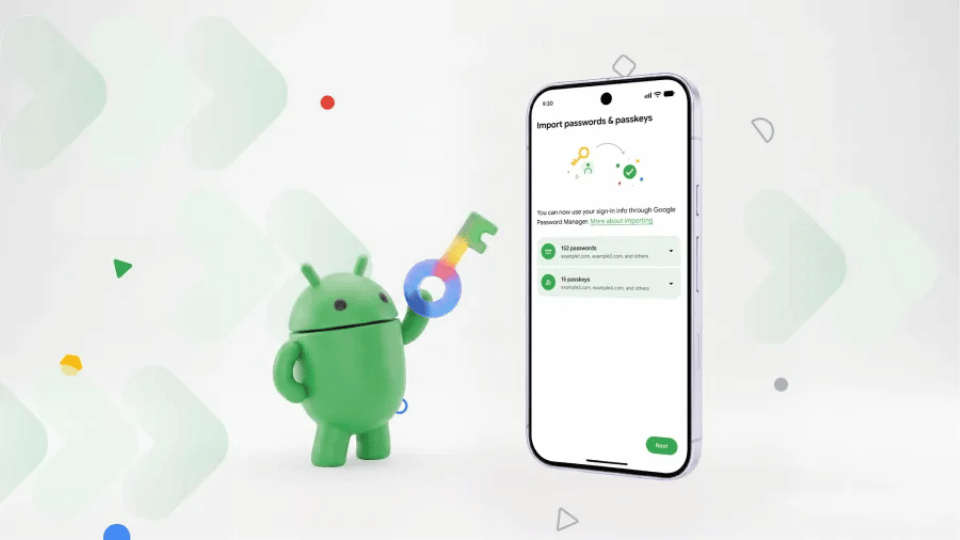
Google introduced a fresh password manager switching tool for Android devices, eliminating the old requirement to download unencrypted CSV spreadsheet files when migrating login credentials.
The software update lets phone users move stored passwords and modern passkeys directly between competing vault applications. By handling transfer requests natively inside the operating system, Android removes the extra steps, manual file handling, and security hazards tied to exporting unencrypted login files.
To start a credential transfer under the new system, open your preferred target password manager application and select the option to import or copy credentials from your old manager app. The Android operating system automatically detects existing vault applications installed on your mobile phone, setting up a secure communication link between both platforms. You review the specific account details being moved and approve the transfer with a few quick screen taps.
Supporting direct passkey transfers solves a major pain point for mobile users. Passkeys rely on encrypted digital key pairs tied directly to specific apps or web domains, making traditional text exports impossible. Under the old setup, switching to a new password vault forced users to manually recreate every passkey from scratch across individual website settings menus. Direct system-level transfer moves those encrypted credentials over instantly without requiring fresh account setups.
Eliminating CSV file exports also fixes a widespread security vulnerability. Plain-text CSV files save every username, website address, and plain-text password into local device storage. If a user forgets to delete that file after completing an app migration, malicious apps or physical phone thieves can easily read those raw credentials. Direct app-to-app migration keeps sensitive login data locked inside encrypted memory channels throughout the transfer.
Google confirmed that the new switching tool is already active across select platform partners as well as its default Google Password Manager application. Popular third-party managers like Bitwarden, 1Password, and Dashlane support the new transfer protocol today, with additional security software providers rolling out support soon.
The password manager switching framework operates across all mobile devices running Android 8 or newer operating system versions. Extending backwards compatibility back to Android 8 ensures that hundreds of millions of phone owners gain safer data migration tools without needing to buy brand-new hardware.
Simplifying data transfers gives users real freedom to test competing apps without getting locked into one ecosystem. As third-party developers adopt native Android transfer protocols, switching security apps becomes as simple as sending a photo or moving a file, giving consumers total control over their personal security data.