
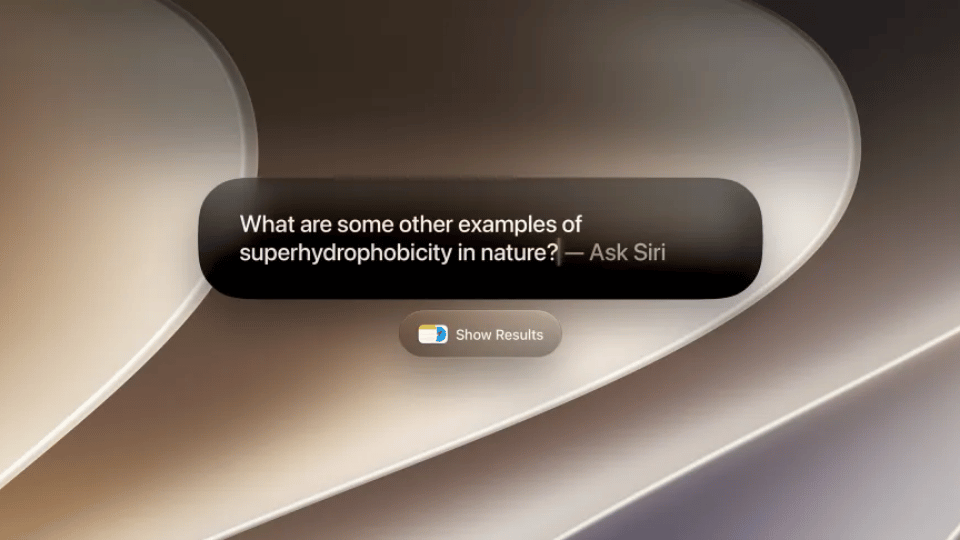
Apple released macOS 27 Golden Gate, bringing a redesigned Siri experience directly to Mac desktops. The virtual assistant no longer sits tucked away in a tiny corner status item. Instead, Siri operates as a fluid overlay floating directly above your open work windows, reading onscreen context to execute multi-step tasks across third-party applications.
Over recent years, web browsers and standalone productivity apps tried to capture desktop screen context. Services like Raycast, Arc, and Rewind built floating search bars that read active windows to summarize text, rewrite code, or pull out key information. macOS 27 brings that exact workflow natively into the core operating system, letting users invoke Siri without switching active windows or copying text manually into separate browser windows.
The new Siri bar moves anywhere across your desktop display, adapting as you switch between different tasks. If you open a complex PDF document or read a long web article, asking Siri for key takeaways triggers an instant summary panel drawing facts directly from the active window on screen. If you browse an e-commerce page or look at flight schedules, asking for additional details generates instant comparisons without leaving your active workspace.
Selecting specific screen areas works through a quick keyboard shortcut. Pressing Command, Shift, and 6 opens a precise screen selector tool. Dragging a box over a chart, paragraph, or image lets you ask Siri targeted questions, trigger web visual searches, or run custom text edits. Actions like adding text to notes or generating calendar entries trigger automatically through a single click.
Apple also updated Spotlight Search on Mac. Users can type questions directly into Spotlight to fetch web answers or restrict search runs to specific locations like Applications, Files, Actions, or Clipboard. Filtering search parameters targets exact data points instantly, saving time during heavy research projects. Spotlight also lets users execute system Shortcuts or run custom text commands directly from the main search bar.
Giving Siri direct access to screen context, active files, and local system controls changes how Mac owners approach everyday office tasks. Summarizing long email chains, pulling data out of spreadsheets, and creating task lists no longer requires juggling multiple open windows or switching between web apps.
Siri also processes active documents to run rewrite actions or generate automated research summaries. Because desktop screens offer far more workspace than mobile phone displays, selecting specific text blocks and sending detailed prompts to Siri makes running long-form edits quick and practical.
Safari gets native web page proofreading tools, which highlight typos, fix grammar errors, and improve sentence structures on web pages that lack built-in text checking capabilities. Safari also reads long web articles and generates brief summary cards, helping users digest news feeds quickly.
Beyond software productivity updates, macOS 27 Golden Gate introduces fresh visual changes, including updated Liquid Glass system icons, a dedicated control dial for custom menu layouts, and better window management controls for dual-monitor setups.
The macOS 27 Golden Gate software update is available now for MacBook Air and MacBook Pro models running Apple silicon processors, alongside compatible desktop Mac setups. Users can install the update by opening System Settings, selecting General, and clicking Software Update.